


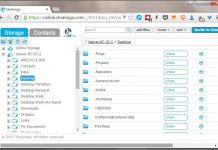


How to create shortcuts with a relative path for use on USB drives
this posting will describe how to create program shortcuts on the root folder of a USB drive that preserve the relative path of the...
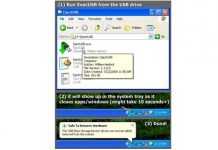
EjectUSB: a powerful tool for safe USB drive removal
EjectUSB is an open source program that is run from a USB device to close all programs running from the device and eject the...

Pismo File Mount: mount ZIP and ISO files as virtual drives
Pismo File Mount is a free program that makes it possible to mount compressed archives, ISO CD/DVD image files, and its own custom encrypted...
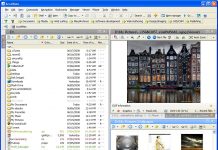
Accelman: a file manager with a host of powerful tools and options
Accelman is a dual-pane "File Manager" with a wide set of features ranging from multiple file management panes to a full-featured image viewer and...
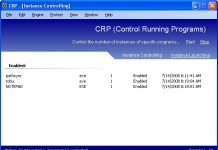
CRP: automatically re-launch apps and control a program’s allowed number of running instances
CRP (Control Running Programs) is a small free program that runs in the background and performs two functions: it re-launches a program automatically once...
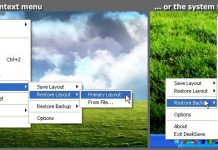
DeskSave: a lightweight program to save and restore desktop icon layouts
Desksave is a free, lightweight program that saves the icon layout on the desktop according to the current screen resolution and can restore it...

360 Desktop: expand your desktop across multiple screens
360 Desktop is a free innovative virtual desktop application that creates a "panoramic workspace" extending across multiple screens. It behaves as a scrollable desktop...
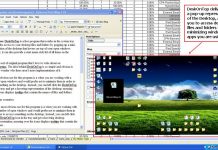
DeskOnTop: access your desktop from the system tray
DeskOnTop is a free program that resides in the system tray and provides access to your desktop files and folders by popping up a...
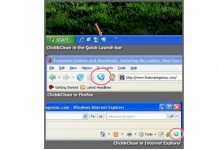
Click&Clean: clean your system with 1-click using this CCleaner addon
Click&Clean is a free tool that works alongside CCleaner to provide 1-click hard drive and browser cleanup from within Internet Explorer, Firefox, or the...

Ulteo Virtual Desktop: run a virtual Linux environment inside Windows
Ulteo Virtual Desktop installs a virtual Linux environment inside Windows.
This free program shows up as a panel inside the Windows desktop and allows you...
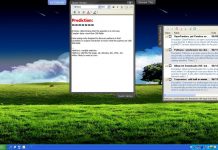
Stick: add “Screen Tabs” to your desktop
Stick is a free program that introduces tabs attached to the sides of your screen (called "Screen Tabs") that can display notes, folder contents,...
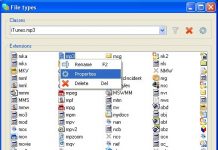
“Types”: easily configure the default apps, icons, and context menu entries for file types
"Types" is a lightweight open source configuration utility designed to enable users to edit the program associations, icons, context menus, and other properties of...
Latest posts

The Best Free Antivirus for Windows – January 2016
I have been looking into the question of which free antivirus is the best for almost 10 years now, and the only way to...

“The Bafflement Fires” – an experimental game designed to manipulate your world view
We’ve always been interested in the intersection between games and art, and have written up a number of games by Jason Nelson exploring the...

Get cloud access to anything on your PC, with TackaCloud’s ‘Personal Cloud’
Although Dropbox and other cloud services have gotten us used to accessing our files anywhere from the cloud, somehow there is always that important...

Introducing: The Ballerina Monsters
Are you missing Freewaregenius and wondering what we’ve been doing for the past several months? One project I’ve been working on is: “The Ballerina...


