




Twenty five FREE online tutorials for learning Android programming
This article is a follow up to my “25 free online courses for learning iPhone and iPad programming” post, for those who are interested...

Three awesome Chrome extensions for YouTube
YouTube is one of the most visited sites on the Internet, which is why there is a wide range of add-ons and third party...

Check spelling AND grammar both, with Ginger
Chrome’s built in spell checker works ok insofar as that goes (except on those occasions when it fails to kick in), but what about...

Drag & Drop Search: an INNOVATIVE extension that will transform the way you search...
If you’ve ever right clicked a word or phrase in Chrome, selected ‘Search Google for’ and thought it was a nice, useful way to...

Listen to music on your PC or stream from music sharing sites, with Clementine...
Clementine is feature-rich music player that offers most everything you’ve come to expect from a modern player, such as smart and dynamic playlists, automatic...

Ten amazing Chrome plugins for Gmail
You can love Google or hate it, but the truth is that both Gmail and Chrome are terrific products, and possibly the best in...

Add your social feeds to your email signature, with WiseStamp
Having an active social media presence can play an important role in promoting yourself or your brand, blog or website, etc.
This is because the...

Check any text for originality and/or plagiarism with Plagiarisma
The Internet is full with people who copy other people’s content to complete assignments, articles, and whatnot, whether it’s students, would-be writers or webmasters....

Block ads and prevent websites from tracking your online activity, with DoNotTrackPlus
It’s not a secret, and hardly controversial, but no sooner than you visit a webpage than it instantly starts collecting information on your behavior and demographics (e.g. location), and trying to infer your interests. If you want to block this activity, or if you merely want to know which scripts or services are tracking you, then Do Not Track Plus, a free extension for Chrome, Firefox, IE and Safari, is for you.

Upload to IMGUR image hosting service via right click, with ImgurUploader
The next time you need to upload an image to a forum or share it on Facebook or anywhere else, remember that you can do this easily from Windows’ right click 'Send-To’ menu, without going off to find image hosting services on Google, using open source program ‘ImgurUploader’.

Backup your browser easily with BrowserBackup Pro for Chrome, Opera, Firefox and Chromium
There is is so much information that our browsers hold, that if the system crashes or if we reinstall or upgrade to a new...

Twenty five free online courses for learning iPhone and iPad programming
Do you want to learn to make iPhone or Android apps? If so then you’re in luck, as the internet is full of 100%...
Latest posts

The Best Free Antivirus for Windows – January 2016
I have been looking into the question of which free antivirus is the best for almost 10 years now, and the only way to...

“The Bafflement Fires” – an experimental game designed to manipulate your world view
We’ve always been interested in the intersection between games and art, and have written up a number of games by Jason Nelson exploring the...
Get cloud access to anything on your PC, with TackaCloud’s ‘Personal Cloud’
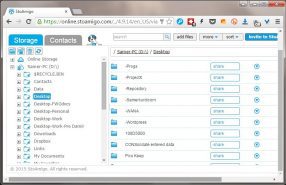
Although Dropbox and other cloud services have gotten us used to accessing our files anywhere from the cloud, somehow there is always that important...

Introducing: The Ballerina Monsters
Are you missing Freewaregenius and wondering what we’ve been doing for the past several months? One project I’ve been working on is: “The Ballerina...


