




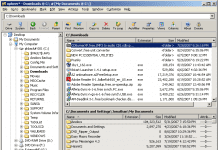
Xplorer2 lite
Xplorer2 lite (that’s “explorer squared”) is a full-featured dual-pane file manager that is intended to replace Windows Explorer. It provides far greater functionality than...
WinSplit Revolution
WinSplit Revolution is a utility that can quickly move, resize, or arrange your open windows across your screen. It resides in memory and is...
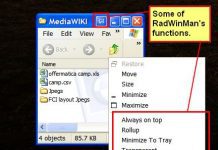
RadWinMan
RadWinMan enhances the Windows shell by adding extra window management functions such as windows roll-up, minimizing to system tray, automatic resize, snap to other...

Revo Uninstaller
Revo Uninstaller is a combination Windows add/remove replacement, startup manager and hard drive cleaner.
It provides the ability to scan uninstalled programs and delete residual...
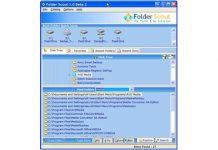
Folder Scout
Folder Scout gives instant access to your drives and your frequently used folders and files.
It includes a folder search function, the ability to define...
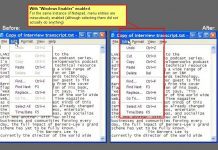
Windows Enabler
Widows Enabler allows the user to enable disabled controls in programs, such as buttons, tick boxes, and menu items.
This can be useful in certain...
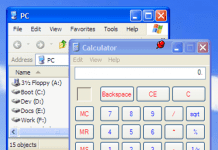
4 Utilities that tweak working with open windows
Here are 4 quick freeware utilities that tweak the way you interact with open windows and applications in most Windows environments: Deskpins, Winroll, RadTab,...
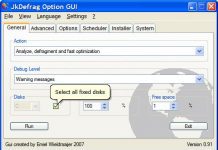
JkDefrag GUI
JkDefrag GUI is a graphical user interface program for the open source hard drive defragmentation program JkDefrag.
It enables users to easily use JkDefrag’s powerful...
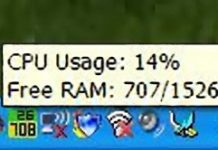
SysTrayMeter
SysTrayMeter will display an icon in the system tray that shows both CPU and RAM usage. It is designed to have both metrics visible...
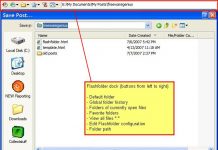
FlashFolder
FlashFolder a small toolbar that docks onto the Windows’ "Open/Save" and "Browse for Folder" dialogs.
It provides a number of functions including the ability to...
SweepRAM
SweepRAM is a memory optimization program that forces all memory-resident applications to use only as much memory as they need, freeing memory in the...
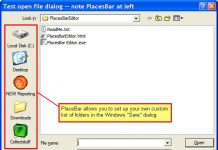
PlacesBar Editor
PlacesBar Editor is a small utility that makes it possible to set up a customized list of folders in the Windows "Save File" dialog.
Following...
Latest posts

The Best Free Antivirus for Windows – January 2016
I have been looking into the question of which free antivirus is the best for almost 10 years now, and the only way to...

“The Bafflement Fires” – an experimental game designed to manipulate your world view
We’ve always been interested in the intersection between games and art, and have written up a number of games by Jason Nelson exploring the...

Get cloud access to anything on your PC, with TackaCloud’s ‘Personal Cloud’
Although Dropbox and other cloud services have gotten us used to accessing our files anywhere from the cloud, somehow there is always that important...

Introducing: The Ballerina Monsters
Are you missing Freewaregenius and wondering what we’ve been doing for the past several months? One project I’ve been working on is: “The Ballerina...


