


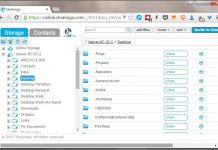


Tag: Desktop Enhancements
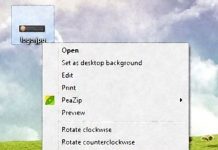
Image Resizer PowerToy Clone: resize images from the context menu
Windows XP users may remember a nice little right-click-context-menu resident image resizing app from Microsoft called "Image Resizer Powertoy".
You may also remember that it...
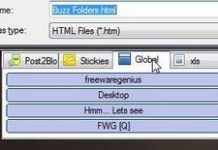
Buzz Folders: get quick accss to favorite and recent folders from the open/save file...
Buzz Folders free edition is a Windows enhancement that provides quick access to favorite and recently used folders in the Windows open/save file dialog.
It...
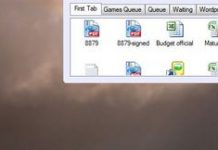
Folder Bookmarks: top-docking launcher lets you access your favorite files, folders, and shortcuts right...
Just as files and folders keep increasing on your computer and your desktop, so do the tools to organize them keep appearing, it seems.
Folder...

How to add a “go up to parent folder” button in explorer for Windows...
If you’ve upgraded to Windows 7 or Vista, you may have noticed that Windows explorer no longer supports a "folder up" button that can...
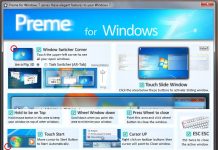
Preme: provides a host of original, interesting enhancements for Windows 7
Preme is an interesting free app that introduces a number of quirky enhancements to Windows 7, such as the ability to dock windows to...
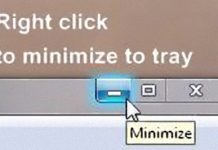
RBTray, the minimize to tray app, updated for 64 bit OS’s
A recent comment posted on my RBTray review tells of a Vista/Windows 7, 32bit and 64bit compatible RBTray. To quote the (new) developer...
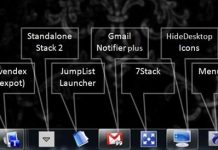
Seven apps that work really well in the Windows 7 taskbar
So you’ve recently installed Windows 7 and become familiarized with the new Jumplist-enabled taksbar.
If you are looking for Windows7 taskbar-friendly apps then read on;...
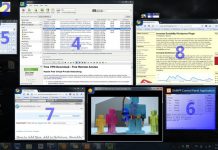
Switcher: elegant application switcher for Vista and Windows 7
Switcher is a free ALT+Tab like application switcher for Windows Vista or Windows 7 in the vein of Expose for Mac. It provides three...
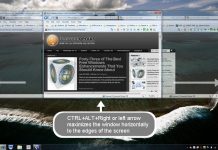
Secondshell: lightweight app lets you maximize windows horizontally or vertically, adds a range of...
Secondshell tweaks Windows and provides easy and practical shortcuts for performing a handful of tasks, such as: Maximizing windows to the edges of the...
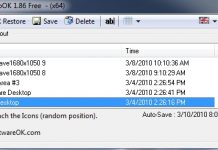
DesktopOK: automatically save and restore your desktop icon positions with this tiny app
Do you have a lot of icons on your desktop? Are your icons carefully placed according to some sort of personal scheme or system?...
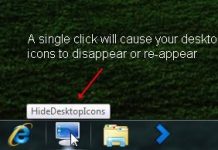
HideDesktopIcons: hide and unhide desktop icons with a single click
If you’re looking for a simple, easy way to switch your desktop icons display on and off - literally at the press of a...
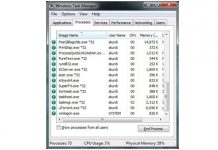
ProcessQuicklink 2: provides instant info on running process, straight from Windows’ Task Manager
This free utility is brought to you by the people behind the processlibrary.com website. What it does is tweak the Windows Task Manager to...
Latest posts

The Best Free Antivirus for Windows – January 2016
I have been looking into the question of which free antivirus is the best for almost 10 years now, and the only way to...

“The Bafflement Fires” – an experimental game designed to manipulate your world view
We’ve always been interested in the intersection between games and art, and have written up a number of games by Jason Nelson exploring the...

Get cloud access to anything on your PC, with TackaCloud’s ‘Personal Cloud’
Although Dropbox and other cloud services have gotten us used to accessing our files anywhere from the cloud, somehow there is always that important...

Introducing: The Ballerina Monsters
Are you missing Freewaregenius and wondering what we’ve been doing for the past several months? One project I’ve been working on is: “The Ballerina...


